Just your list
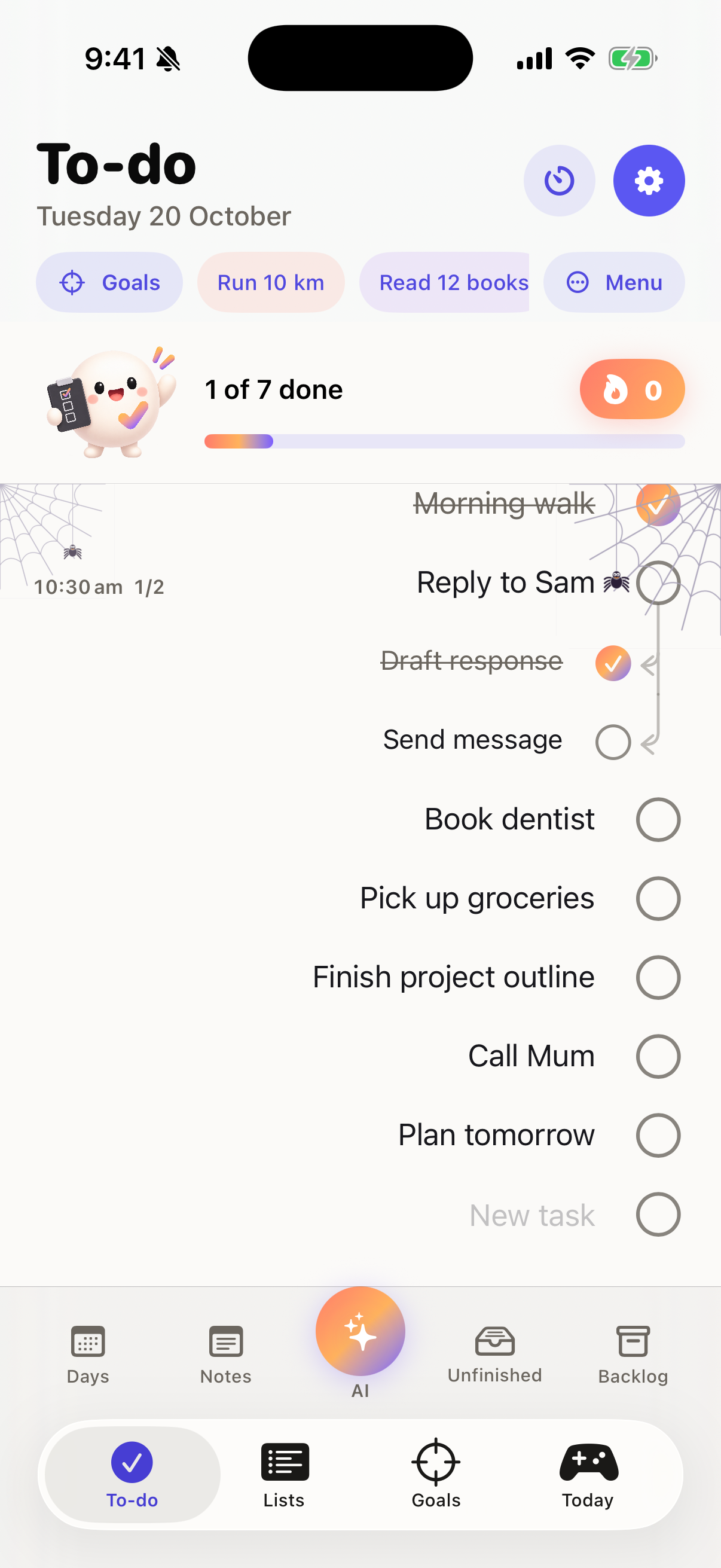
Compact menus and fullscreen keep the focus on your tasks. Double-tap for subtasks; hold for the action menu.
 doit.
doit.FOR THE BUSY. AND THE HUMAN.
Your day doesn’t need another complicated system. Just a clear list, a small next step, and a firm nudge from Dot.
Public version 2.51 · 2.60 awaiting review · Optional Doit Pro
 REAL APP. REAL ROOM TO THINK.
AWAITING REVIEW / DOIT 2.60
Doit 2.60 (32) was submitted for public App Store review on 25 October 2026. The new Happy icon, Doit: Fun To-Do Lists name, editable goal plans, list and goal sharing, and focused fixes are not publicly released yet. Version 2.51 remains the public version while approval and manual release are pending.
See the 2.60 update detailsLESS ADMIN. MORE LIVING.
Capture the small things before they become a big pile. Doit keeps everyday tasks, reusable routines and longer-term goals together.
01 / CAPTURE THE THOUGHT / PRO
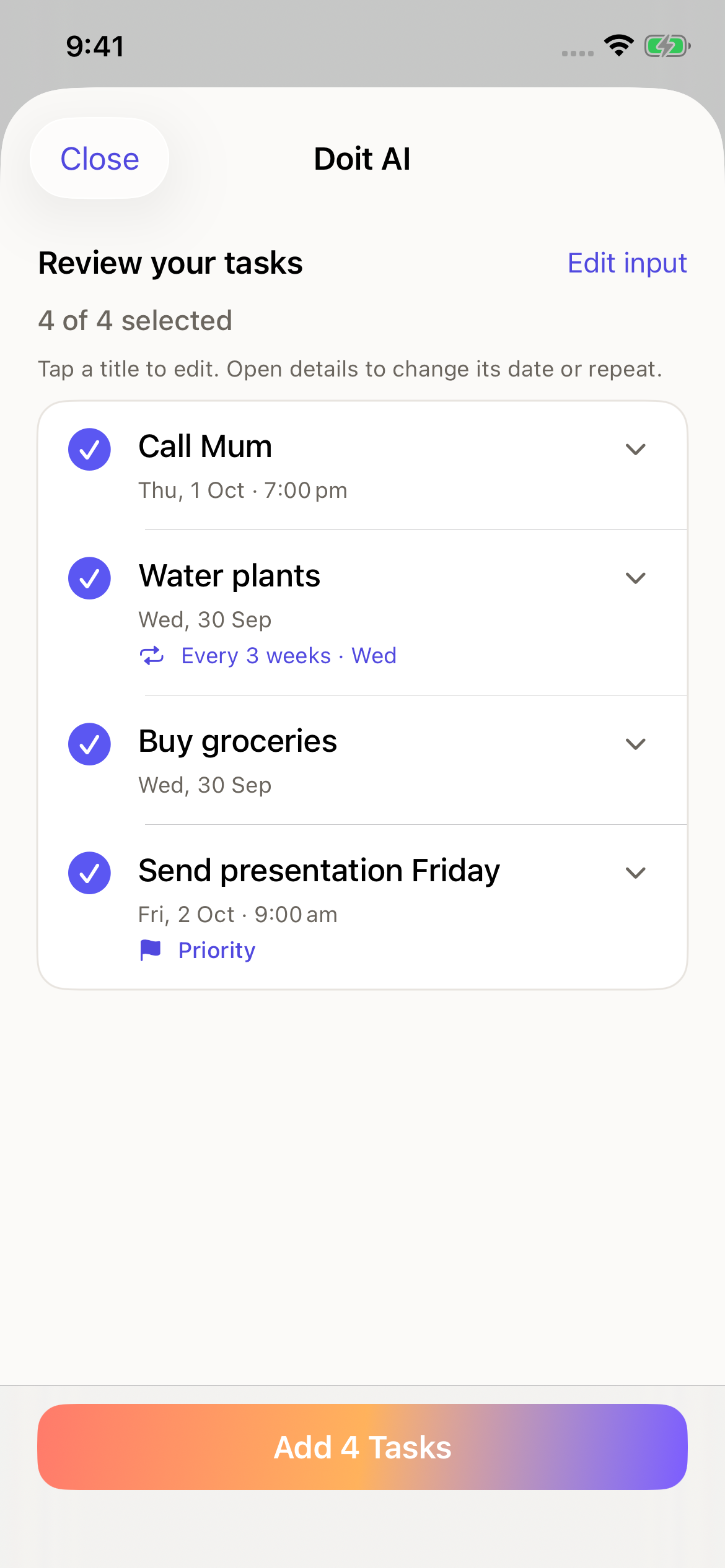
With Doit Pro, type naturally or paste what's on your mind. Doit turns it into task drafts you can check, edit and choose before anything is added. Manual task entry remains free.
All normal AI capture requires Pro. Optional cloud processing asks for consent first. AI and speech recognition can make mistakes.
02 / KEEP WHAT WORKS
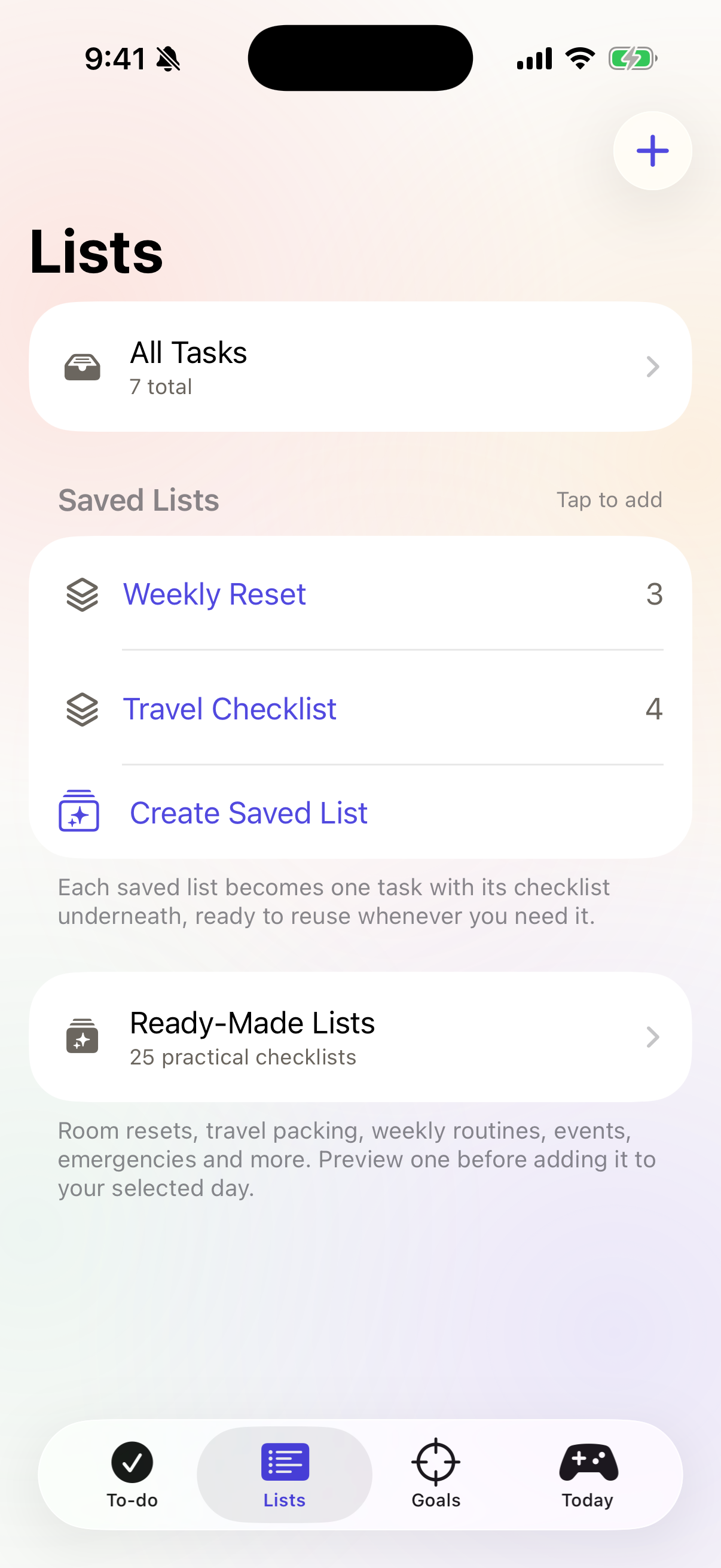
Build a saved list once, then add it to your day when you need it. Your list becomes one task, with its checklist neatly underneath.
MEET YOUR LITTLE ENCOURAGEMENT
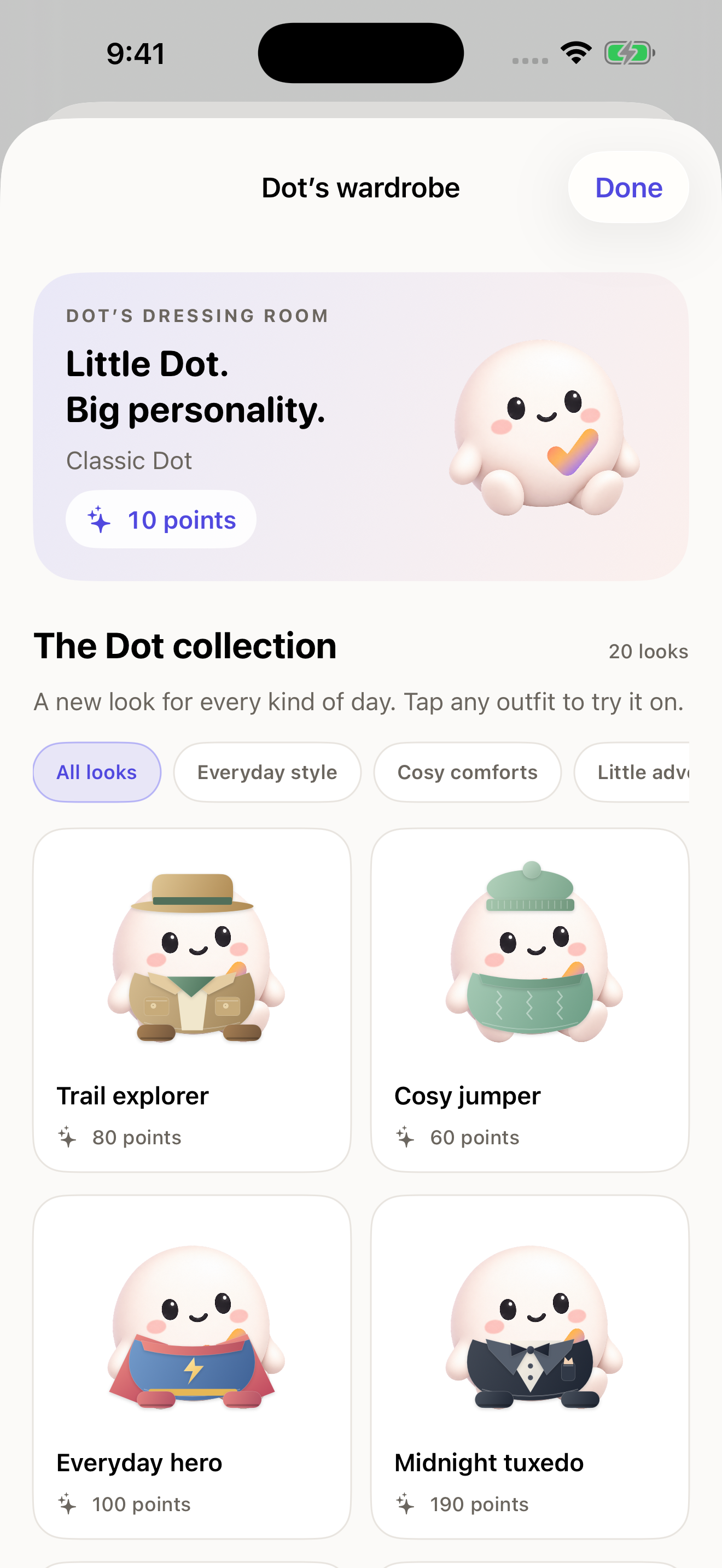
A small companion for the small wins. Dot celebrates when you finish, helps you find your way, and adds a little personality to your plan. In 2.60, expect firm, blunt and cheeky nudges to get moving.
Choose calmer animations, more movement, or turn Dot off in Settings.
Inside 2.51Earn points, collect outfits and visit Dot's garden and inside room. Switch the lamp, see your streak milestones and open daily gifts. Your selected outfit follows Dot through the app.
See Dot’s outfit shop
A LOOK INSIDE
Actual 2.51 screens with example tasks. Scroll across to explore.
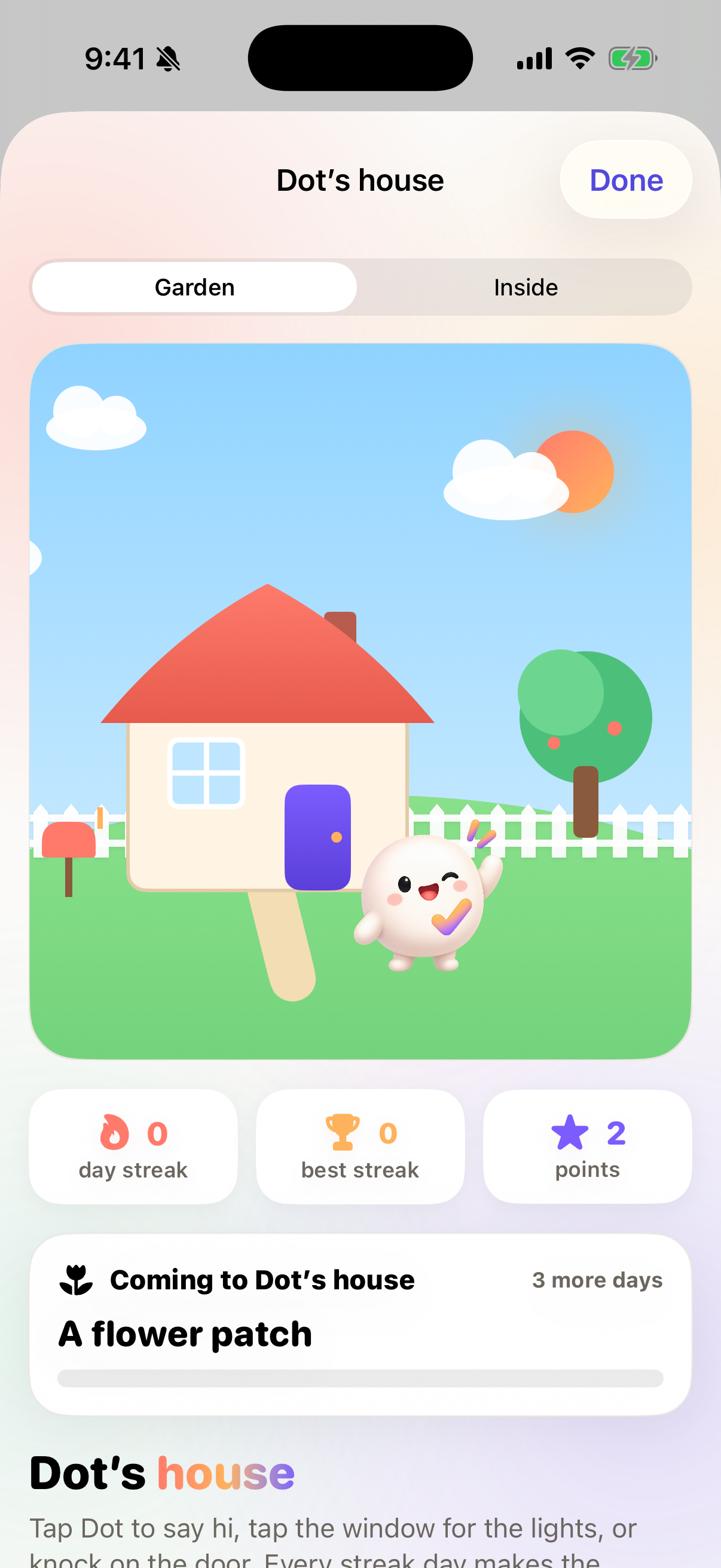
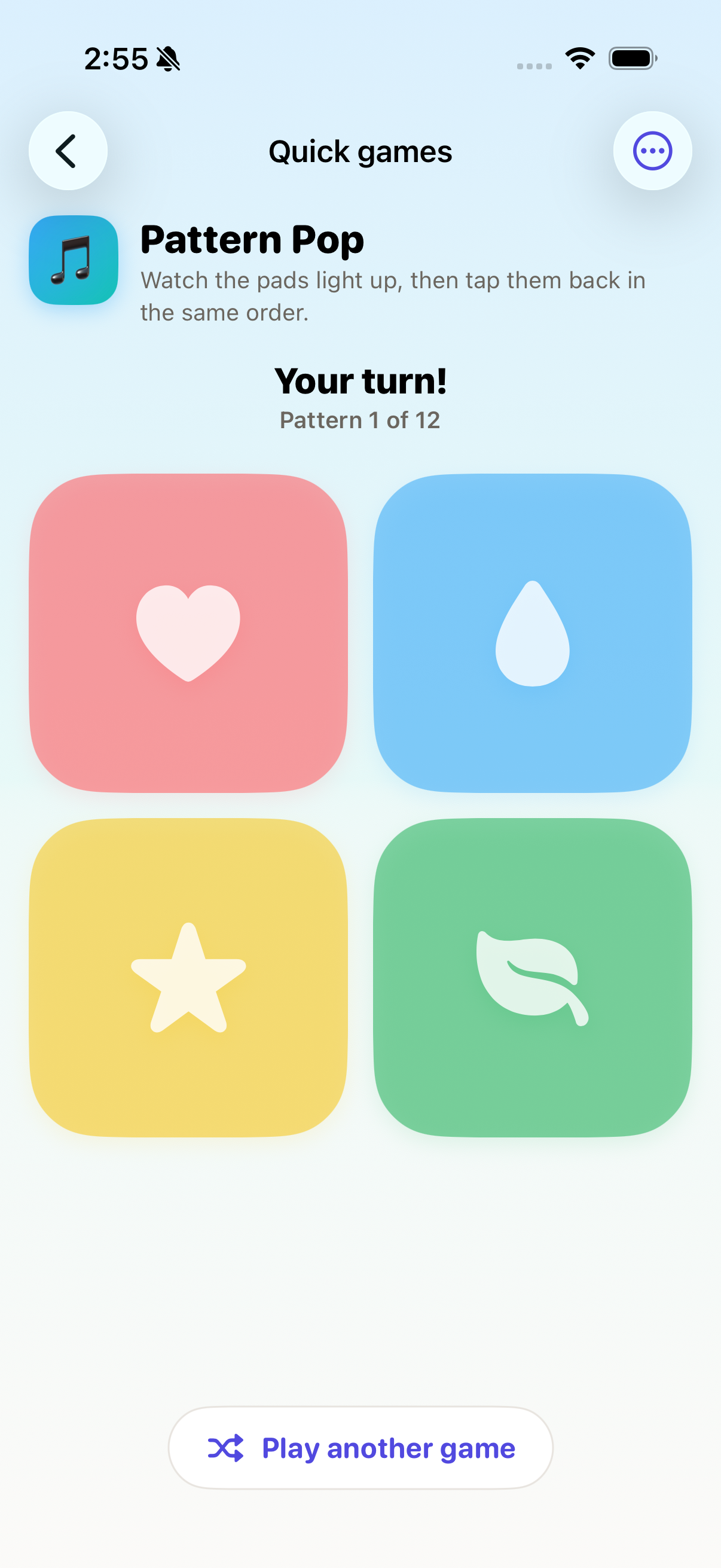
These captures show the public 2.51 version. The refreshed 2.60 icon and store images are awaiting review and release.
INSIDE DOIT 2.51
These are features of the current public version. Check your installed version and access level.
Compact menus and fullscreen keep the focus on your tasks. Double-tap for subtasks; hold for the action menu.
Spin the daily wheel, accept a small action and add it to today's list. Active challenges are unlimited on Free.
The Today tab includes 13 replayable games: spot the difference, word puzzles, Emoji Pairs, Colour Clash and more.
Visit Dot's house, explore inside and see your streak milestones. Tap gift boxes directly to reveal your reward.
Preview lined, grid or dotted backgrounds and task-text colours for light and dark mode.
Break goals into steps and review personal task recommendations. You choose what gets added.
THE EVERYDAY DETAILS
Keep the urgent bits clear. Pro adds planning beyond today and recurring schedules.
Keep context with a task and give your day a place for notes and reflection.
Undo a recent action. Review unfinished tasks, move them, ignore them or deliberately delete them.
Put your next tasks where you’ll actually see them, without opening the whole app.
Check your day and complete tasks from your wrist with the companion app.
A layout for more room, with optional private iCloud sync between your supported Apple devices.
Light or dark, your preferred text size, Dot’s movement level and the finishing screen—all adjustable.
Export your data, control sync and notifications, and find clear support and privacy information.
START SIMPLE / VERSION 2.51
Start without a separate account. Close the offer after its countdown to continue free.
Monthly or yearly subscriptions, with your region's price shown in the app.
The 2.60 update changes no subscription products, prices or trials. Prices, period, currency and any eligible trial appear before purchase. Apple confirms purchases. Subscriptions renew automatically unless cancelled; trial eligibility varies. No payment is collected here. Subscription terms.
YOUR TASKS ARE YOUR BUSINESS
Doit needs no separate account. Your planner saves locally first, with optional private iCloud sync. Pro includes on-device AI and optional Claude cloud processing, with consent before selected text, transcripts or images go through Supabase to Anthropic.
Voice sends those services a transcript, not audio. Apple speech recognition may use Apple's servers. The cloud allowance is 1,000 total requests per UTC month, including up to 35 paper or handwriting scans. Version 2.51 uses anonymous installation counters; the protected 2.6 endpoint uses a verified Apple app identity and receives Apple receipts in Supabase, never in Claude. Supabase platform invocation logs may retain request and response content; see the full policy for retention, setup access and provider details.
Read the full privacy policyGOOD QUESTIONS
Yes. In 2.51, Free includes manual tasks and notes for today, one saved list, one added list per day, one backlog list, unlimited active challenges and Home Screen widgets. Use the offer's top-right × after its countdown. Goals and all normal AI capture require Pro.
No. Review and choose which editable drafts to add. Check the wording, schedule and priority, especially with speech or images.
Create your own challenge with a name and daily steps, then share an invitation. The recipient previews the plan before joining. Your personal progress is not shared.
Yes. Adjust Dot's animation level or turn him off in Settings.
Manage or cancel in your Apple Account's Subscriptions settings. Restore from Doit's subscription screen with the same Apple Account. Deleting the app does not cancel a subscription. Get help.
Yes. AI tools assisted development, design and content. Jackson Rhodes is responsible for the app. This is separate from how Doit handles your information. Privacy policy.
Make a little room in your head today.
Find Doit on the App StoreiPhone · iPad · Apple Watch companion
Check Apple’s listing for current availability and compatibility.